Start here
Motriz documentation
What Motriz is, how it is organized, and where to begin.
Motriz is a native macOS workspace for work you run on your own machine. There is no Motriz account or hosted project backend. You connect the AI providers you already use, and Motriz coordinates them around local folders and repositories.
What Motriz helps you do
Motriz connects the work before code, the work inside code, and the evidence that should survive both. You can begin with a rough venture idea, an existing repository, or a feature that still needs product design.
Choose where to begin
| You have | Start with | What happens next |
|---|---|---|
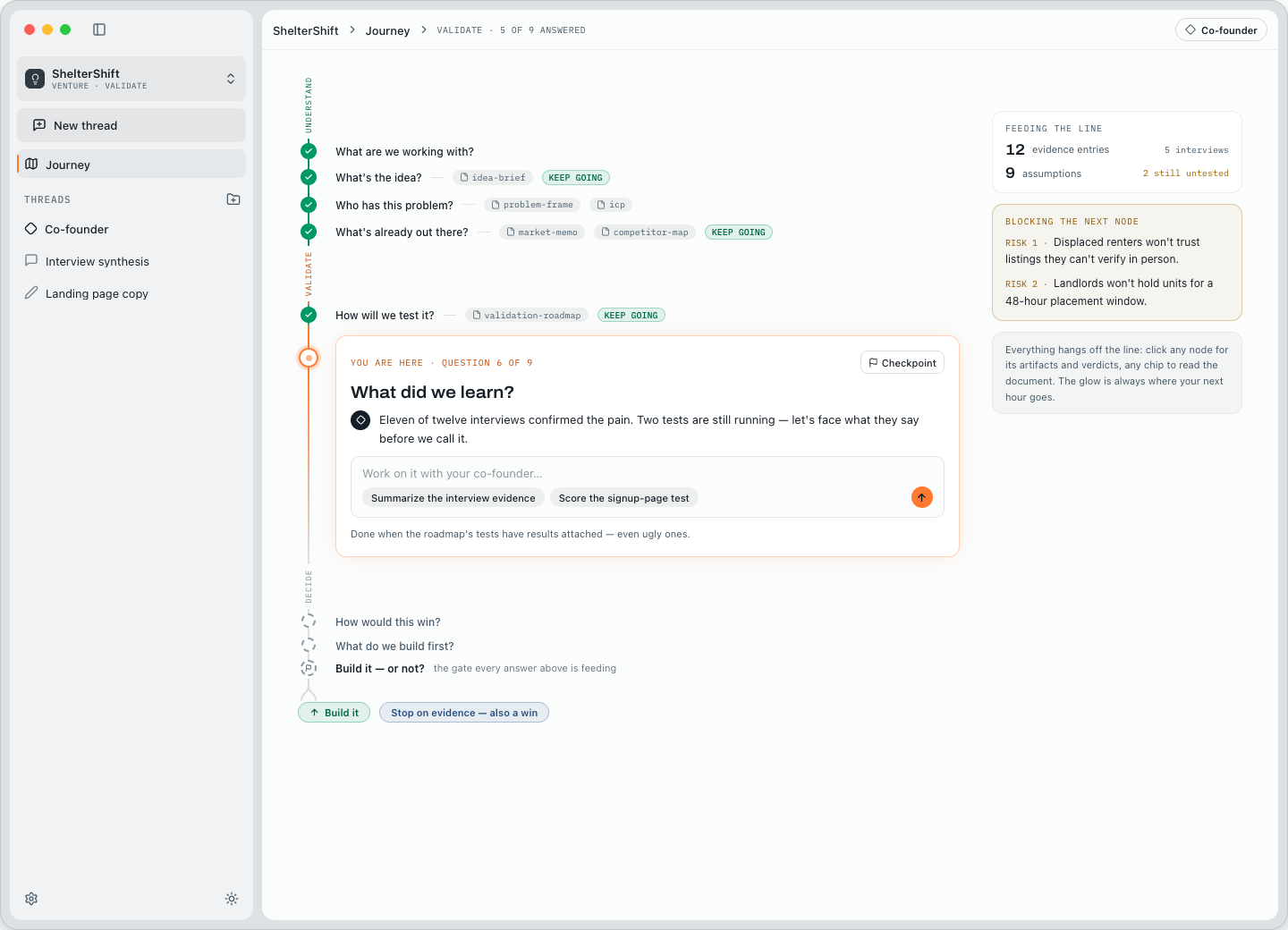
| A rough idea | Venture | Your co-founder helps make the idea testable, gathers evidence with specialists, and guides each checkpoint. |
| A feature to shape | Code project → Product Design | The repository becomes read-only context while the Specialist and Designer produce durable artifacts. |
| A coding task | Code project → Build | Run one configured model directly or select a flow that coordinates multiple steps. |
| A question or research task | Chat | Use a repository-aware assistant that can research and create artifacts without editing repository files. |
| A backlog of work | Project dashboard | Assign agents or flows, sequence tasks, or run independent tasks in isolated worktrees. |
How the app is organized
The left sidebar holds your projects and their thread history. The center shows the active dashboard, journey, thread, or settings page. A workspace can sit beside the conversation or expand into the main area for files, changes, artifacts, venture documents, and evidence.
- Projects are code folders or ventures. A venture can begin without a repository and later hand validated scope into one.
- Threads are durable conversations with their own mode, messages, run history, attachments, artifacts, and optional folder.
- Runs are executions inside a thread. A run can be one agent or a flow of several agents.
- Artifacts are durable outputs such as documents, prompts, specifications, images, files, and prototypes.
- Tasks are dashboard work items that can be queued, assigned, retried, or grouped into sequential and parallel stages.
What is not required
You do not need to configure every provider, create a flow, initialize a Git repository, or start from a polished spec. One provider and one folder are enough for a Build thread. A venture can start from a sentence and remain repository-free until the build decision.
Build agents have full access to the selected repository and can read, write, create, and execute files and commands. Review the safety model before pointing Motriz at sensitive or unfamiliar code.
Next steps
- Install the current Apple Silicon build.
Download the signed and notarized DMG from motriz.ai. Motriz requires macOS 13 or newer.
- Connect at least one provider.
Open Settings → Providers. Motriz can use CLI subscriptions, browser sign-in, or API keys depending on the provider.
- Add a codebase or start a venture.
Choose the path that matches what you already know. You can always add more projects later.
- Run the smallest useful first task.
Use one agent before building a complex flow. Add orchestration only when the work benefits from distinct planning, implementation, research, or review steps.